No products in the cart.

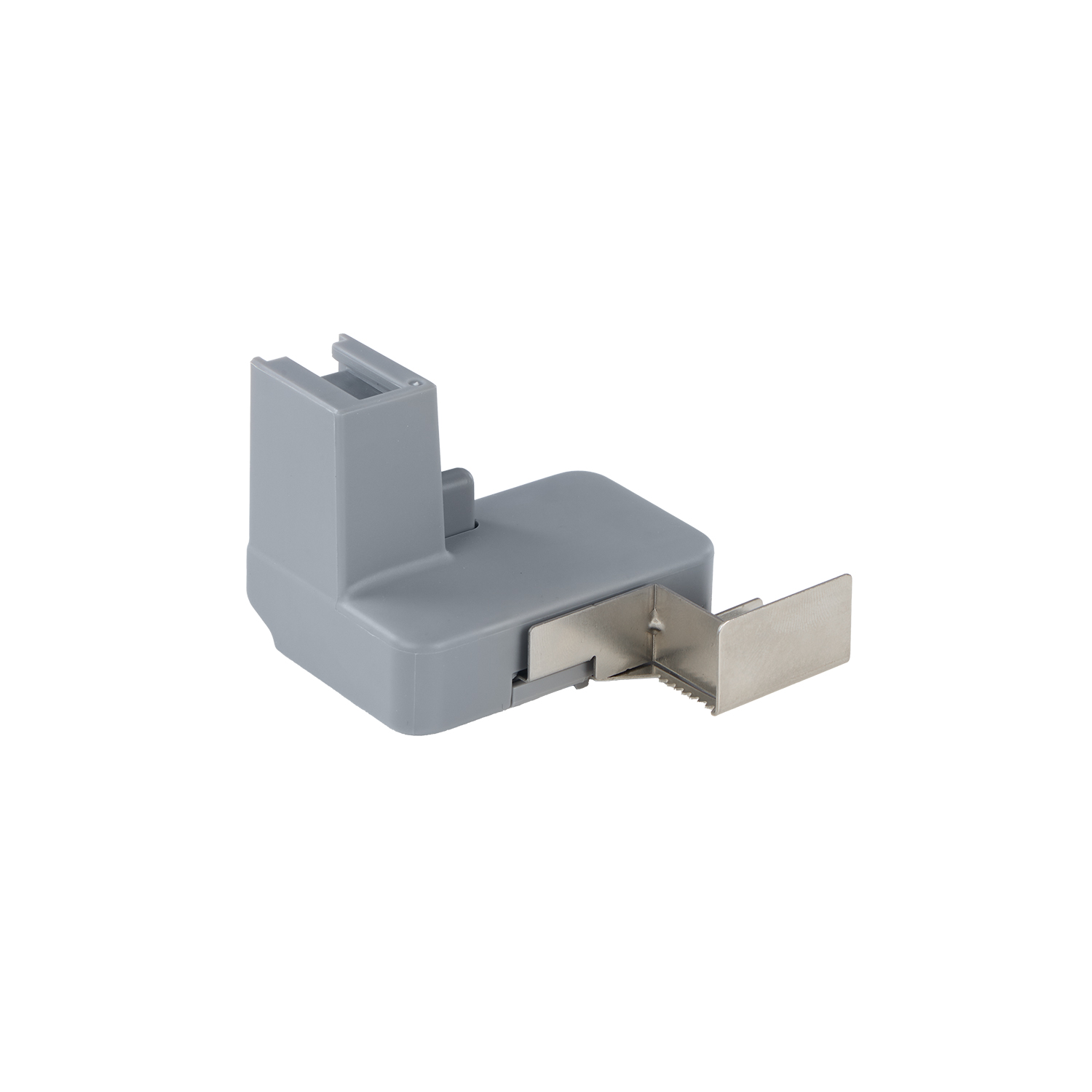
Anycubic SP Kobra X Series Purge Wiper Assembly
€33.00
The Purge Wiper Assembly for the Anycubic Kobra series (including the Kobra X, Kobra 3, and Kobra 3 Max line) is an essential maintenance and surface-quality component. Its primary job is to clean the printhead nozzle du…
Delivery: 2-7 working days
- The Purge Wiper Assembly for the Anycubic Kobra series (including the Kobra X, Kobra 3, and Kobra 3 Max line) is an essential maintenance and surface-quality component. Its primary job is to clean the printhead nozzle during startup routines and multi-color/multi-material filament changes.
- Prevents Blobbing and Stringing: After purging or loading new filament, the hotend dispenses a small coil/poop of material. The wiper automatically sweeps across the nozzle tip to flick away residual molten plastic, preventing it from dropping onto your print bed or model.
- Essential for Multi-Color Printing: If you are running an Anycubic ACE Pro multi-color system, nozzle purging happens frequently between material tool-changes. The wiper ensures crisp color transitions without contamination.
- Heat-Resistant Silicone Pad/Blade: Constructed from flexible, high-temperature silicone, the blade cleans the metal nozzle without causing wear, scratching, or damaging the hotend block.
- Easy Replacement: Designed as a drop-in original equipment manufacturer (OEM) part that installs near the back edge of the heatbed assembly.
Specifications
Technical Specifications
- Material: High-temp silicone pad with plastic mounting base.
- Location: Rear/side margin of the heatbed / purge zone.
- Function: Automatic nozzle wiping during start G-code and tool changes.
Maintenance & Care Tips
- Physical Wear or Deformity: The silicone pad looks melted, split, or permanently bent out of shape.
- Poor Cleaning Performance: You notice leftover filament wisps sticking to the nozzle after a purge sequence.
- Debris Buildup on Prints: Stray blobs or discolored specks are getting dragged onto the first layer or outer walls.
- Tip: Keep the wiping blade clean by occasionally wiping away accumulated plastic crumbs with a dry paper towel while the bed is unheated.
Additional information
| Brand | Anycubic |
|---|---|
| Printer Technology | FDM |
| MPN | S010407 |