


No products in the cart.


Anycubic SP Kobra X Series System Driver Motherboard
€123.00
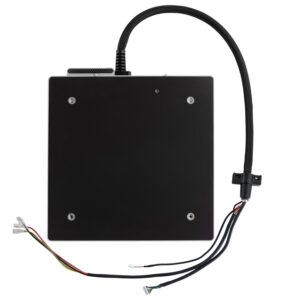
The Anycubic Kobra X Series System Driver Motherboard is the primary mainboard and central control unit for the printer. Mounted inside the chassis base, it acts as the master processing hub, orchestrating motion co…
Delivery: 2-3 working days
- The Anycubic Kobra X Series System Driver Motherboard is the primary mainboard and central control unit for the printer. Mounted inside the chassis base, it acts as the master processing hub, orchestrating motion control, power distribution, thermal management, input shaping, and communication between peripherals (such as the touchscreen display, printhead driver board, and ACE unit).
- Centralized System Processing: Houses the high-speed 32-bit MCU responsible for executing Anycubic OS firmware routines, pathing kinematics, and real-time input shaping/vibration compensation.
- Integrated Silent Stepper Motor Drivers: Features multi-channel silent stepper drivers with passive aluminum heatsinks, providing precise micro-stepping for the X, Y, and dual Z-axis motors while keeping motion noise minimal.
- High-Current Thermal Control: Manages high-current power switching for the heated bed and toolhead, equipped with onboard MOSFET safety circuits to guard against thermal runaway and voltage surges.
- Unified Cable & Bus Interface: Connects directly to the printhead driver board, the Anycubic ACE multi-color hub, Wi-Fi network module, display screen, and power supply unit (PSU) via standardized multi-pin sockets.
- Direct OEM Drop-In: Pre-configured with factory firmware compatibility and exact mounting hole layouts for seamless replacement in the Kobra X and Kobra X Combo series.
Specifications
Technical Specifications
- Compatible Printers: Anycubic Kobra X / Kobra X Combo Series
- Architecture: 32-bit High-Performance System Controller
- Input Power Voltage: 24V DC (from main internal PSU)
- Motor Drivers: Onboard silent stepper drivers with heatsinks
- Connectivity Ports: Umbilical bus port, bed heat/thermistor terminals, USB/Display interface, ACE control link.
Maintenance & Care Tips
- Unplug & Discharge Power: Always turn off the printer, unplug the AC power cord, and wait at least 5 minutes for the high-voltage capacitors on the board to discharge before opening the bottom chassis cover.
- Document Wiring Before Removal: Take clear photos of all plugged-in wire harnesses (stepper cables, PSU leads, thermistors, fan headers) before unplugging them from the old S010432 board to ensure accurate re-assembly.
- Verify Power Terminal Polarity: Pay strict attention when wiring the main 24V power input and heated bed screw terminals. Reversing positive (+) and ground (-) leads will permanently damage the mainboard.
- Firmware Update & Calibration: After installing the replacement motherboard, update the printer to the latest firmware version via USB/Wi-Fi, then run the full Auto Bed Leveling (ABL) and Input Shaping routines.
Additional information
| Brand | Anycubic |
|---|---|
| Printer Technology | FDM |
| MPN | S010432 |



Reviews
There are no reviews yet.